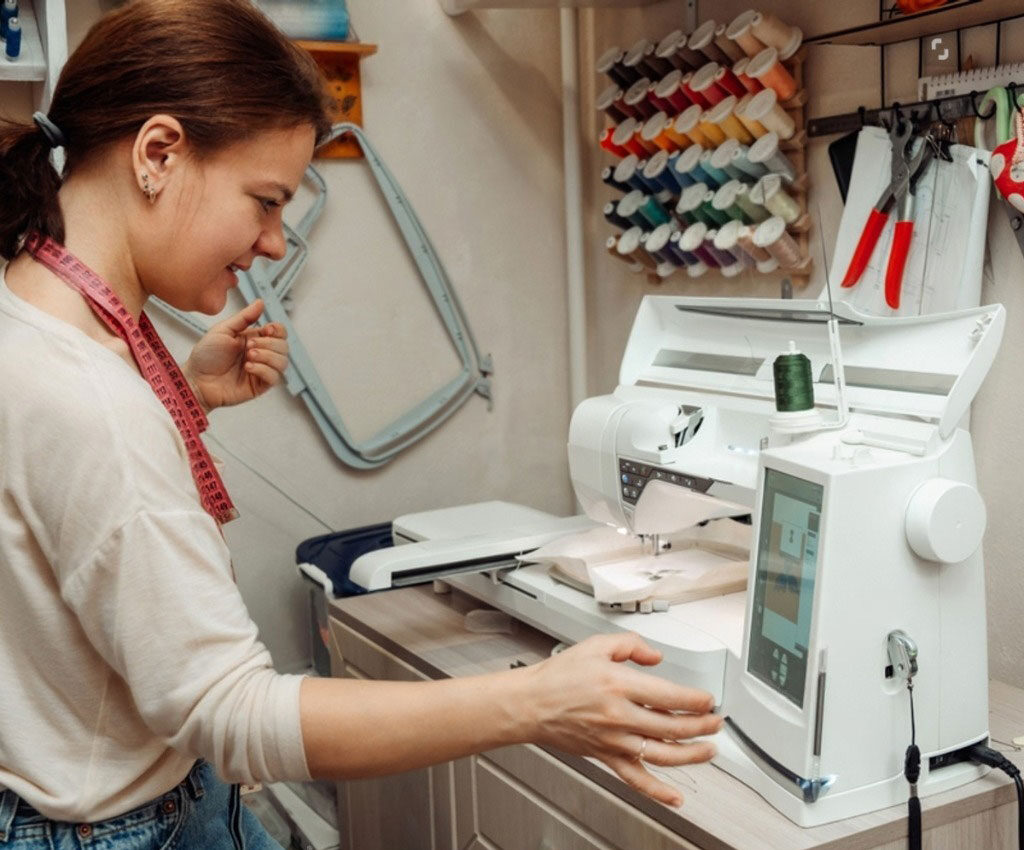

In the bustling world of embroidery, the DST file is the universal language. It’s the format that commercial embroidery machines from brands like Tajima, Barudan, and Melco understand and trust for production. But what happens when your design is stuck in a different format? Maybe you downloaded a pattern in a PES (Brother) or JEF (Janome) file, or you have a design in your editing software that needs to be sent to a professional shop. This is where the magic of a DST File Converter comes into play. This tool acts as a translator, taking your design from one dialect and converting it into the industry-standard tongue.
However, not all translators are created equal. A poor conversion can lead to a design that sews out with errors, missing details, or incorrect colors. Choosing the right converter isn’t just about convenience; it’s about preserving the integrity of your design. This guide will walk you through everything you need to know to select the perfect DST file converter for your projects, whether you’re a hobbyist or a seasoned professional.
What Exactly Are You Converting? Understanding the Scenarios
Before you can choose a tool, you need to understand the job. The term “DST file converter” can mean a few different things, and the best tool depends entirely on your starting point.
- Converting Between Machine Formats: This is the most common need. You have an embroidery file in one proprietary machine format (like .PES, .HUS, .VIP, .JEF) and you need to turn it into a .DST file to run on a different machine. This is a straight file-to-file conversion.
- Converting from Vector or Image Files: This process is actually digitizing, not simple conversion. You start with a source image like an SVG, AI, PNG, or JPG, and you need to create a brand new DST file from scratch. This requires sophisticated software that can interpret the image and generate stitch data.
- Editing and Re-saving as DST: You might have a DST file that needs minor edits, or you are working in your digitizing software’s native format (like a PXF for Brother or an EMB for Wilcom) and you need to export the final design as a DST for production.
Understanding this distinction is crucial. A tool that excels at the first scenario may be completely useless for the second.
Key Factors to Consider When Choosing Your Converter
Navigating the market for conversion tools requires a checklist. Keep these factors in mind during your search.
1. Input and Output Format Support
This is the most basic requirement. Your converter must be able to read your source file and write your target file.
- For Machine-to-Machine Conversion: Look for a tool that supports a wide array of formats. The more, the better. You want a converter that handles not just the big names (PES, JEF, HUS, VIP) but also less common ones to ensure future compatibility.
- For Image-to-DST Conversion: You need true digitizing software. Ensure it supports the vector formats you use (SVG, AI, EPS) as these will give you the cleanest results, and also common raster formats (PNG, JPG) for convenience.
2. Conversion Quality and Fidelity
This is where free online tools often fall short. A high-quality converter does more than just change the file extension; it faithfully translates the stitch data.
- Stitch Preservation: The best converters keep the original stitch count, types (satin, fill, running), and sequence intact. Cheap converters may simplify the design, losing detail and compromising the sew-out.
- Color Accuracy: The converter should accurately map the thread color sequence from the source file to the DST file. A common issue in poor conversions is a scrambled color order.
- Trims and Jumps: It should correctly handle trim commands and jump stitches, as errors here can lead to thread breaks or a messy underside.
3. Ease of Use vs. Advanced Control
Consider your technical comfort level.
- Simple Tools: Online converters and basic software offer a drag-and-drop interface. You upload a file, select DST as the output, and download. It’s fast and easy but offers no control over the process.
- Professional Software: Full-scale digitizing platforms like Wilcom e4 or Hatch Embroidery give you total control. You can open the source file, inspect and edit every single stitch, and then save as DST. This is the best way to guarantee quality but requires more skill and time.
4. Pricing Model
Converters come with different financial commitments.
- Free Online Converters: Tempting for one-off, non-critical jobs. However, be wary of quality issues, file size limits, and privacy concerns—you are uploading your design to a third-party server.
- One-Time Purchase Software: Software like Embrilliance or a base level of Hatch involves a single, upfront fee. This is often the best value for serious hobbyists and small businesses.
- Subscription Software: Professional suites like Wilcom often operate on a monthly or annual subscription model, which includes updates and support. This is the standard for high-volume commercial digitizers.
Types of DST Converters: A Breakdown of Your Options
Let’s categorize the tools available to you.
A. Online File Converters
These are websites that convert machine format to machine format instantly in your browser.
- Pros: Incredibly fast, no software to install, often free for basic use.
- Cons: Limited control, potential quality loss, privacy risks, unsuitable for image-to-DST conversion.
- Best For: Occasional users who need a quick, “good enough” conversion for a non-critical project.
B. Built-In Software Export Functions
This is often the most reliable method. If you are already using digitizing software, it likely has a “Save As” or “Export” function.
- Pros: Highest quality and reliability, you can edit the design before exporting, secure (your file never leaves your computer).
- Cons: Requires you to own and know how to use the software.
- Best For: Anyone who already owns digitizing software. This should be your first and primary method.
C. Standalone Conversion Software
These are dedicated programs installed on your computer whose main job is to read, view, and convert between different embroidery formats.
- Pros: More robust than online tools, often includes a viewer to check the design, one-time purchase.
- Cons: Can be less powerful than full digitizing suites, may not handle complex edits.
- Best For: Embroidery shops that frequently receive files from customers in various formats and need a reliable, dedicated tool for standardization.
Your Action Plan for a Flawless Conversion
To ensure you get the results you need, follow this step-by-step process.
- Identify Your Source: Is it a .PES file from a friend? A .SVG from your designer? Your starting point dictates your tool.
- Define Your Quality Needs: Is this for a fun personal project or a 500-piece corporate order? The higher the stakes, the more you should lean towards professional, controllable software.
- Test Before You Commit: If you’re considering a software package, see if it offers a free trial. Convert a test file and, most importantly, stitch it out on scrap fabric. The proof is always in the physical sew-out.
- Inspect the File: Use a viewer (many converters include one) to check the design after conversion. Look for missing elements, strange jumps, or incorrect colors.
- Always Do a Stitch-Out: Never skip the test run. A design can look perfect on screen but have hidden issues that only appear when the needle hits the cloth.
Conclusion: The Best Converter is an Informed Choice
The “best” DST file converter does not exist in a vacuum; it is the one that best aligns with your specific needs, budget, and skill level. For the casual crafter with a one-time need, a free online converter might be a calculated risk worth taking. For the small business owner, investing in a platform like Hatch Embroidery provides both powerful conversion tools and the ability to create and edit your own designs, offering tremendous long-term value. For the professional embroidery shop, the robust export function within a industry-standard suite like Wilcom is the only choice that guarantees the quality and reliability their clients demand.
By understanding the different types of conversion, knowing what features to look for, and always prioritizing a test stitch-out, you can move forward with confidence. The right DST file converter will cease to be a mysterious tool and become a seamless bridge in your workflow, ensuring your designs move smoothly from concept to a perfectly stitched reality.