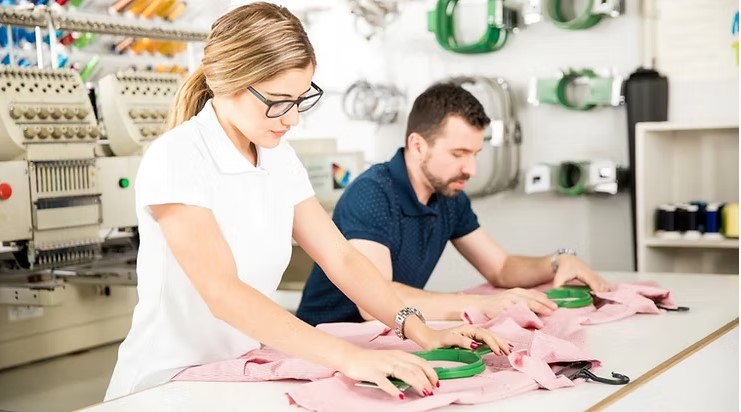

Learn how to turn a brand logo into a Pfaff stitch design with simple steps. Discover tips for preparing logos, digitizing artwork, and achieving clean embroidery results.
Embroidery is a great way to show a brand on fabric. Many companies place their logo on shirts, caps, bags, and work wear. But an embroidery machine cannot read a normal image file. It needs a special stitch file made for that machine.When a logo is prepared the right way, the machine can stitch it clean and fast. The process helps Convert Logo for Pfaff Embroidery Machines into a stitch design that the machine can follow step by step. This step is called embroidery digitizing.
In this guide, we will explain how designers turn a brand logo into a Pfaff stitch design. The steps are simple and clear. These tips come from real work in embroidery digitizing. The goal is to help beginners and business owners understand how the process works.
What Is a Pfaff Stitch Design
Pfaff embroidery machines use special stitch files. These files guide the machine while it stitches a design.
What a Stitch File Contains
A stitch file does not store a normal picture. It stores stitch data.
This data tells the machine:
- Where each stitch must go
- The stitch type
- Thread color order
- Stitch direction
This guide allows the machine to sew the logo on fabric.
Why Logos Must Be Digitized
A logo image only shows shapes and colors. It does not show stitch paths.
Digitizing turns the logo into a stitch map. The machine follows this map to create the design.
Why Proper Logo Preparation Matters
Good logo preparation makes embroidery easier and cleaner.
Clear Stitch Results
A well-prepared logo helps create sharp edges and clear shapes.
Faster Machine Work
Clean stitch files help machines move smoothly.
Fewer Production Errors
Proper files reduce thread breaks and machine stops.
These benefits are very important when a design is stitched many times.
Step 1: Study the Logo Design
The first step is to examine the logo carefully.
Look at the Shapes
Designers check each shape in the logo.
They see how the shape will stitch with thread.
Check the Size
Some logos look good on a screen but are too small for embroidery.
Designers think about where the logo will be used.
Common places include:
- Shirt chest
- Cap front
- Jacket back
Each location needs the right design size.
Step 2: Clean the Logo Artwork
Before digitizing, the logo must be cleaned.
Remove Tiny Details
Small shapes may not stitch clearly.
Designers remove tiny dots and very thin lines.
Simplify the Design
Simple logos stitch better.
Designers may reduce complex shapes to make the design more embroidery friendly.
Step 3: Convert the Logo to Vector Format
Vector art is the best format for embroidery work.
What Is Vector Artwork
Vector graphics use paths and shapes.
They keep their quality even when resized.
Why Vector Files Help
Vector shapes guide stitch paths.
This makes the digitizing process easier and more accurate.
Step 4: Adjust Line Thickness
Thin lines can be a problem in embroidery.
Why Thin Lines Fail
Thread has width. If a line is too thin, it may not show clearly.
The stitch may also break.
Make Lines Bold
Designers often make lines thicker so the stitch stays visible.
Bold shapes also look better from a distance.
Step 5: Choose the Right Stitch Types
Different parts of a logo need different stitches.
Satin Stitch
Satin stitch is used for text and borders.
It gives a smooth and shiny look.
Fill Stitch
Fill stitch covers large shapes.
It fills the area with rows of thread.
Running Stitch
Running stitch works well for fine lines.
Each stitch type helps build the full design.
Step 6: Plan the Stitch Order
Stitch order controls how the machine works through the design.
What Stitch Order Means
It is the sequence in which parts of the design are stitched.
Why Stitch Order Matters
Good stitch order helps:
- Reduce thread jumps
- Keep the fabric smooth
- Improve stitch flow
This step is very important for clean embroidery.
Step 7: Set the Correct Stitch Density
Density controls how close stitches are.
Balanced Stitch Density
Too many stitches make the design heavy.
Too few stitches leave gaps.
Digitizers find the right balance so thread covers the fabric well.
Step 8: Match the Design with Fabric Type
Fabric type affects how stitches behave.
Thick Fabrics
Examples include jackets, denim, and bags.
These fabrics can support stronger stitches.
Soft Fabrics
Examples include polo shirts and t-shirts.
Soft fabrics need lighter stitches to avoid puckering.
Experienced teams like Embroidery Digitizing Services in USA – Digitizing Buddy adjust stitch settings based on fabric type to achieve the best results.
Step 9: Run Test Stitches
Testing is a very important step.
Why Testing Helps
A test stitch shows how the design will look on real fabric.
It helps detect problems early.
What Designers Check
During testing, experts check:
- Stitch flow
- Thread coverage
- Design shape
- Fabric tension
Professionals at Embroidery Digitizing Services in USA – Digitizing Buddy often test designs before sending them to clients. This helps ensure the final embroidery looks clean and professional.
Real Experience from Embroidery Projects
Years of embroidery work teach valuable lessons.
Many clients send logos that look perfect on screen. But once stitched, problems appear.
Tiny text may blur. Thin lines may disappear. Heavy stitches may cause fabric puckering.
Experienced digitizers know how to prevent these issues.
Teams like Embroidery Digitizing Services in USA – Digitizing Buddy review each logo carefully. They adjust shapes, test stitches, and ensure the file runs smoothly on machines.
This experience helps produce reliable stitch designs for businesses.
Common Problems When Logos Are Not Prepared Well
Many embroidery issues come from poor logo preparation.
Too Much Detail
Tiny shapes can slow machines and reduce stitch clarity.
Too Many Stitches
Extra stitches make the design heavy.
Ignoring Fabric Type
A design that works on jackets may not work on soft shirts.
Avoiding these mistakes helps create better embroidery results.
Signs of a Well Digitized Pfaff Stitch Design
A high-quality stitch file has clear signs of good digitizing.
Look for:
- Smooth stitch flow
- Balanced stitch density
- Clean design edges
- Clear shapes and text
- Minimal thread jumps
These signs show that the design is ready for embroidery production.
Final Thoughts
Turning a brand logo into a Pfaff stitch design takes careful planning. The process starts with clean artwork and ends with a tested stitch file ready for embroidery.
Designers study the logo, simplify shapes, adjust line thickness, and choose the right stitches. They also plan stitch order and test the design on fabric.
These steps help machines stitch designs smoothly and create consistent results.
With the right process and experience, almost any logo can become a clean and professional embroidery design. Careful digitizing ensures that the final stitched logo represents the brand clearly and beautifully on fabric.